
Camera setup
Your VHSMO.
Ready for
every moment.
Getting started is simple. Follow these quick steps to set up your camera and start capturing moments.
First things first. Switch it on.
Pull the slider from OFF to ON to power up your VHSMO camera.
Look for the notification light.
As soon as you switch it on, the notification light glows red for a few seconds while your VHSMO starts up, and you'll hear a startup sound. When the light goes out, your camera is on and ready to go. No light means it's ready.
That's it. You're ready!
Point your VHSMO at whatever you'd like to capture and press the shutter button. Your photo is saved to the memory card automatically. No screens, no distractions. Just you and the moment.
Want flash? Slide the switch up to Flash and your camera will use flash for your photos.
Want to see your memories? Connect.
When you want to view or, more importantly, offload your photos, press the Wi-Fi button on your VHSMO. The button will light up to indicate that Wi-Fi is enabled.
Wi-Fi is only needed when you access your photos through the VHSMO app.
Your photos, right on your phone.
Open the VHSMO app and follow the on-screen instructions to connect your camera and access your photos.
In the app
Your camera, in your pocket.
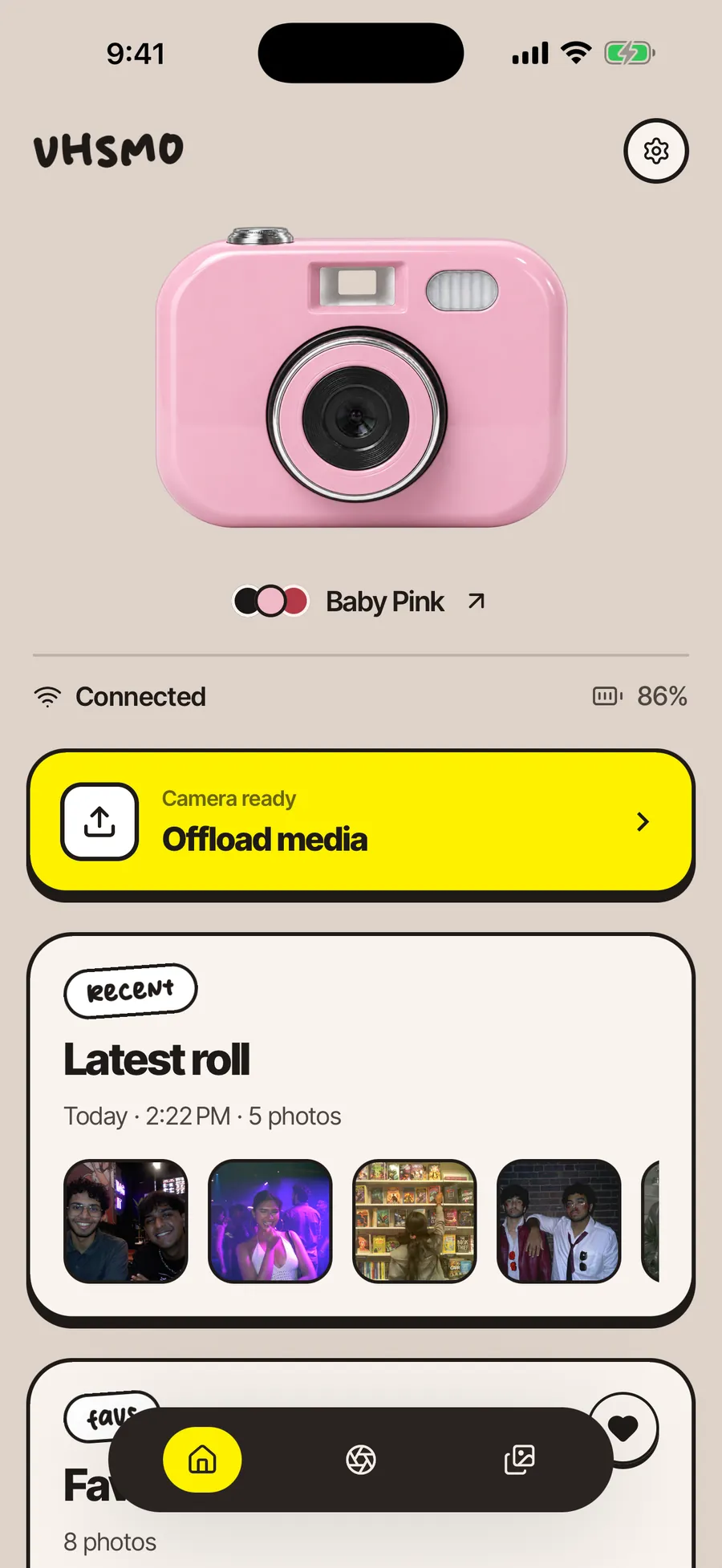
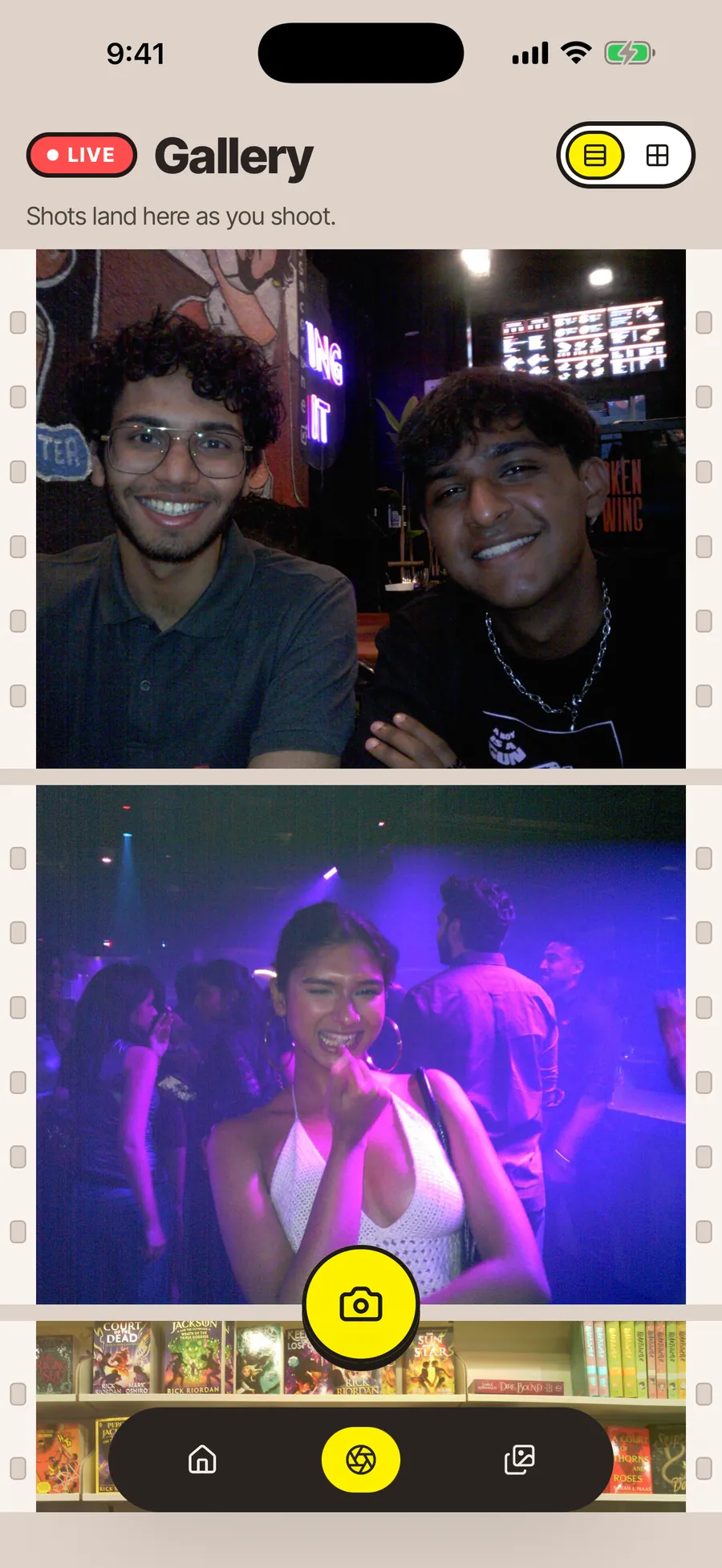
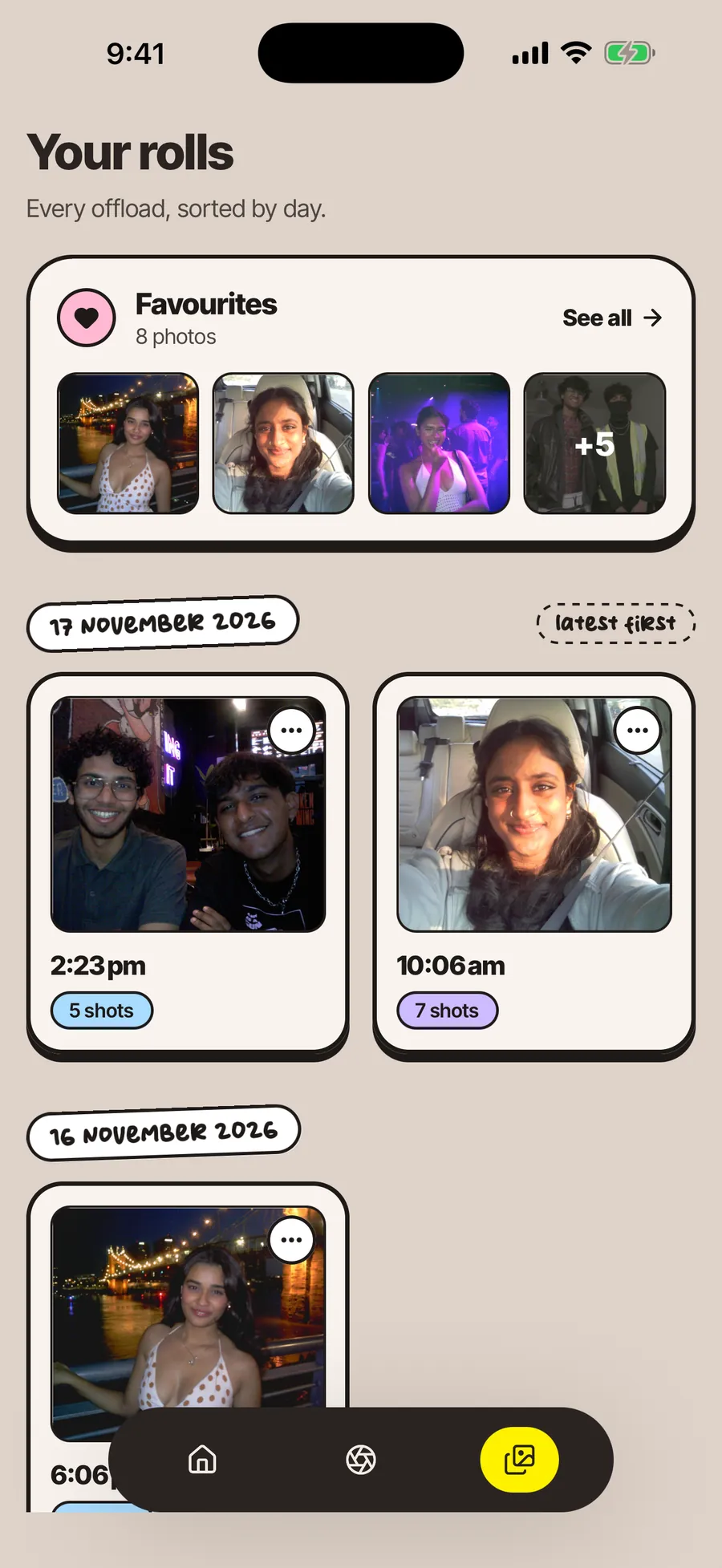

1Home
Once your camera shows Connected with its battery level, tap Offload media to bring your photos across.
Your first update is required.
The first time you connect your VHSMO to the app, you'll be asked to install a firmware update. It includes important fixes and optimisations, so it's compulsory. Future updates arrive the same way.
- Follow the instructions in the app.
- Keep your camera powered on and connected the whole time.
- Charge it first: updates need at least 2 battery bars.
Prompt didn't show? In your phone's Wi-Fi settings, look for a network ending in “vhsmo” and join it:
Network
Password
Your phone may say the network has no internet. That's completely normal - VHSMO connects straight to your phone, no internet needed.
Power up. Get back out there.
Plug a USB-C cable into the charging port on the side of your VHSMO, next to the ON/OFF switch. The small light beside the port glows red while it charges and turns green when it's full. It takes up to 8 hours to fully charge.
- RedCharging
- GreenFully charged
1,000+
photos on one full charge.
One full charge lets you capture 1,000+ photos, so you never have to worry about missing a moment.
A few little things to remember.
- 01
Save your battery.
Keep the Wi-Fi button turned OFF whenever you aren't using the VHSMO app. It can significantly improve your battery life, so switch it off once you're done.
- 02
Charge before heading out.
Make sure your VHSMO is charged before taking it along for the day.
- 03
Offload your photos.
Connect through the VHSMO app regularly to view and transfer your captured photos.
- 04
Stay in the moment.
Don't worry about checking every picture right after taking it. Enjoy the people around you, capture the little things, and let the memories happen naturally.
Good to know
Two more things, just in case.
Prefer a cable? Use USB.
Connect your VHSMO to your computer or phone with a USB data cable, open the camera's storage and copy your photos across. When you're done, safely eject the storage before you unplug it.
Camera stuck? Reset it.
Like any electronic device, your VHSMO can very rarely stop responding. Turn it over and unscrew the small cover on the underside, the one marked with a memory-card icon and an R. Press and hold the reset button (R) for about four seconds, until the indicator lights blink. The camera restarts and you're back to capturing.
Hold for about 4 seconds, until the lights blink.
Help
Any questions?
DM us on@vhsmo.cam_or write to us atteam@vhsmo.com
We'd love to see the world through your VHSMO. Tag @vhsmo.cam_ in your favourite memories.
Get the app